Tag: ATS resume guide 2026
ATS Resume & CV Ultimate Guide 2026: Beat the Bots & Get Hired Faster
You spent three hours crafting the perfect resume. Polished, formatted, tailored. You hit “Submit” — and never hear back. Sound familiar? The harsh truth is that your resume may never have been read by a human being. Instead, it was intercepted, scanned, scored, and silently rejected by a piece of software called an Applicant Tracking System (ATS).
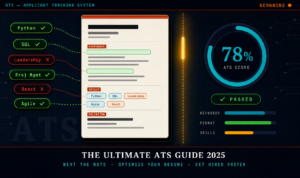
ATS Resume & CV Ultimate Guide 2026
In today’s hyper-competitive job market, understanding how ATS works isn’t optional — it’s survival. This guide covers everything: what ATS is, how it evaluates your resume, what kills your chances, and exactly what to do to pass the screening and land in front of real decision-makers. No fluff. No vague advice. Just a comprehensive, actionable blueprint for 2025.
98% of Fortune 500 companies use ATS75% of all employers use ATS to filter candidates70% of resumes rejected before a human sees them6 secaverage human recruiter glance time
1. What Is an ATS? (And Why It Matters)
An Applicant Tracking System (ATS) is a software application that automates and manages the recruitment process for employers. Think of it as a digital gatekeeper — a robot recruiter that stands between your resume and the hiring manager’s desk.
Originally designed simply to store applicant information (a digital filing cabinet), modern ATS platforms have evolved into sophisticated screening engines. They parse your resume into structured data, rank you against other candidates, flag keyword matches, and filter out applicants who don’t meet defined criteria — all before a single human being ever opens your file.
Why Employers Use ATS
The reason is volume. A single job posting on a major platform like LinkedIn or Indeed can attract anywhere from 200 to 1,000+ applications. It is simply impossible for a hiring team to manually review every document. ATS software solves this by automating the initial filter — often narrowing 500 applicants down to 50 before human eyes engage.
- Time efficiency: ATS reduces the time-to-hire by up to 60%.
- Compliance & record-keeping: Employers must retain applicant data for legal purposes. ATS automates this.
- Collaboration: Hiring managers and HR teams can comment, rate, and collaborate on candidates in one system.
- Cost reduction: Less manual screening means lower recruitment overhead.
“The ATS doesn’t decide who gets the job. It decides who gets a chance to interview for it. That’s the fight you need to win first.”
2. How ATS Actually Works: Inside the Black Box
Understanding what happens the moment you click “Apply” is the key to optimizing your resume properly. Here is the full journey your document takes through a typical ATS pipeline:
Step 1: Parsing — Breaking Down Your Document
The ATS immediately attempts to parse your resume — extracting structured information from an unstructured document. It identifies and categorizes data into fields: name, contact information, work experience, education, skills, certifications, and more. This is where formatting can either help or destroy you. Unusual layouts, tables, text boxes, and graphics confuse parsers, causing critical information to be misread or lost entirely.
Step 2: Indexing — Storing Your Data
Once parsed, your information is stored in the ATS database. Each field becomes searchable and comparable. Your skills are indexed as tags. Your job titles are recorded. Your employers are logged. This database is what recruiters search when they’re looking for candidates who match a role.
Step 3: Keyword Matching & Scoring
This is the critical phase. The ATS compares your indexed resume data against the job description’s requirements. It looks for keyword matches — exact or near-exact terms from the posting appearing in your document. Each match increments your score. Many systems also weight keywords differently: a required qualification counts for more than a preferred one.
Step 4: Ranking & Filtering
Candidates are then ranked from highest to lowest score. Recruiters typically set a threshold — for example, only reviewing candidates who score above 70%. Everyone below that line is filtered out automatically. Some systems also apply hard filters: if the job requires a degree and yours isn’t detected, you may be auto-rejected regardless of other qualifications.
Step 5: Human Review of the Shortlist
Only the top-scoring candidates surface to human review. And here’s where the second battle begins — your resume now needs to impress a person who will spend less than 10 seconds on it before deciding to read further or move on.
3. Popular ATS Platforms Employers Use in 2025
Knowing which ATS a company uses can help you understand what to expect. Different platforms have different parsing capabilities and quirks. Here are the most widely deployed systems in 2025:
| ATS Platform | Best Known For | Common Users |
|---|---|---|
| Workday | Enterprise HR suite integration | Large corporations, Fortune 500 |
| Taleo (Oracle) | High-volume recruiting | Governments, large multinationals |
| Greenhouse | Structured interviewing & analytics | Tech companies, startups scaling up |
| iCIMS | Candidate relationship management | Mid-to-large companies |
| Lever | Collaborative hiring workflows | Mid-size tech & SaaS companies |
| BambooHR | SME-friendly HR management | Small & medium businesses |
| Jobvite | Social recruiting integration | Marketing-forward companies |
| SmartRecruiters | AI-powered candidate matching | Global enterprises |
4. ATS Keywords: The Foundation of Everything
If there is one single concept to master for ATS optimization, it is keyword relevance. The ATS does not care how beautifully you write. It cares whether the words in your resume match the words in the job description.
How to Find the Right Keywords
- Dissect the job description: Read it word by word. Highlight every noun, skill, tool, certification, and job title that appears — especially those that appear more than once.
- Identify hard skills vs. soft skills: Hard skills (Python, SQL, Project Management, GAAP) are the primary ATS targets. Soft skills (leadership, communication) matter less for parsing but still appear in descriptions.
- Look for industry jargon: Every sector has standard terminology. Use the exact terms — not synonyms. If the job says “accounts receivable,” don’t write “money collection.”
- Note required vs. preferred qualifications: Required qualifications are hard filters. Make absolutely sure you address every required item. Preferred qualifications boost your score.
- Use multiple job postings: Look at 5–10 similar job postings. The keywords that appear consistently across all of them are the golden terms for your industry.
Where to Place Keywords in Your Resume
Strategic placement matters. Don’t stuff keywords aimlessly — context and integration are crucial both for the ATS and for the human reading after.
- Professional Summary / Objective: Lead with your most critical keywords immediately.
- Skills Section: Create a dedicated section that functions as a keyword-rich index.
- Work Experience Bullet Points: Embed keywords naturally within achievement-based statements.
- Job Titles: If your actual title differs from the standard industry term, consider adding the standard term in parentheses (e.g., “Growth Hacker (Digital Marketing Manager)”).
- Education & Certifications: Spell out certification names in full (e.g., “Project Management Professional (PMP)”).
Keyword Density: How Much Is Enough?
There is no magic number, but a good rule of thumb is that your most critical 5–8 keywords should appear at least 2–3 times throughout your resume in contextually meaningful ways. Avoid keyword stuffing — some modern ATS platforms penalize obvious manipulation, and it will read as unprofessional to human recruiters.
5. ATS-Friendly Resume Formatting Rules
Even a perfectly keyword-optimized resume fails the ATS if the formatting is wrong. Poor formatting creates parsing errors — the ATS misreads your information or fails to extract it altogether. Follow these non-negotiable rules.
File Format
- .docx (Microsoft Word): The gold standard for ATS compatibility. Use this unless explicitly told otherwise.
- .pdf (text-based): Acceptable for most modern ATS platforms. Avoid if the application says “Word only.”
- NEVER use: Image-based PDFs, JPEGs, PNGs, Pages (.pages), or InDesign files. These cannot be parsed.
Font & Typography
- Use standard, widely supported fonts: Calibri, Arial, Garamond, Georgia, Times New Roman, or Helvetica.
- Font size: 10–12pt for body text; 14–16pt for your name; 11–13pt for section headers.
- Avoid decorative, script, or custom fonts — they may not render correctly in every parser.
Layout & Structure
- Single-column layout: Multi-column resumes (two or three columns) frequently confuse ATS parsers. The system reads left to right, row by row — a multi-column layout can cause data from different columns to be merged incorrectly.
- No text boxes: Content inside text boxes is often completely invisible to ATS parsers.
- No tables: Avoid placing critical information in table cells. Use plain text and spacing instead.
- No headers/footers: Some ATS systems ignore content in document headers and footers entirely. Put your name and contact information in the main body.
- Standard margins: Use 0.5″–1″ margins on all sides.
- White space: Leave clear visual breaks between sections. Parsers rely on spacing and heading styles to identify section boundaries.
Graphics, Images & Icons
⚠️ Warning: Visual Elements Kill Your ATS Score
Logos, profile photos, skill rating bars, icons, infographics, charts, and decorative lines are not readable by ATS software. They do not add to your keyword count or data profile — they only confuse the parser and create formatting errors. Remove them entirely from your ATS-targeted resume.
6. Structuring Your Sections for Maximum ATS Points
The order and naming of your resume sections affects how well the ATS categorizes your information. Use standard, recognizable section headings that every ATS is trained to identify.
Recommended Section Order & Headings
1. Contact Information
Full name, phone number, professional email address, LinkedIn URL, city and country (no need for full street address). Place this at the very top of the document body — not in a header.
2. Professional Summary or Objective
3–5 sentences that position you for the role. Pack this with your top keywords. For experienced professionals, use “Professional Summary.” For career changers or new graduates, “Objective” or “Career Profile” works well. Label it clearly — “Summary,” “Professional Summary,” or “Profile.” Avoid creative headings like “My Story” or “Why Hire Me.”
3. Core Competencies / Skills
A dedicated skills section is your keyword powerhouse. Use a simple bulleted or comma-separated list. Include hard skills, tools, technologies, methodologies, certifications, and relevant soft skills. Use the heading: “Skills,” “Core Competencies,” or “Technical Skills.”
4. Professional Experience / Work History
This is the most weighted section. For each role, include:
- Job Title (exact or closely matched)
- Company Name
- Location (City, Country)
- Dates of Employment (Month Year – Month Year)
- 3–6 bullet points per role (achievements, not duties — more on this below)
Label it: “Experience,” “Work Experience,” or “Professional Experience.”
5. Education
Degree name, institution, graduation year. If you have relevant coursework, honors, or a high GPA (3.5+), include them. For experienced professionals, keep this section brief. Label it: “Education.”
6. Certifications & Licenses
List each certification with its full name and acronym, issuing body, and expiration date if applicable. Example: “Project Management Professional (PMP) — PMI, 2024.” Label it: “Certifications,” “Licenses & Certifications,” or “Professional Certifications.”
7. Optional Sections
Publications, Awards, Volunteer Work, Languages, Projects, or Professional Affiliations — add these if relevant to the role and if space allows. Always use standard, descriptive headings.
7. ATS for CVs vs. Resumes: Key Differences
In many parts of the world (particularly Europe, Africa, the Middle East, and academic or research contexts), the term CV (Curriculum Vitae) is used interchangeably with “resume” — or refers to a longer, more detailed document. Understanding these differences is important for ATS optimization.
Resume (Primarily US & Canada)
- 1–2 pages maximum
- Concise, tailored to each specific job application
- Focused on relevant experience and achievements
- ATS optimization is critical for every application
CV (International & Academic)
- Can be 3–10+ pages for senior academics or experienced professionals
- Comprehensive — includes all experience, publications, research, presentations, awards
- Less tailored per application, more of a master document
- ATS still applies in the corporate world even for CV-format applications
ATS Tips Specific to CVs
The core ATS formatting rules (single column, standard fonts, no graphics, keyword optimization, .docx format) apply equally to CVs. However, given their length, a few additional considerations apply:
- Use consistent date formatting throughout — ATS parsers rely on date patterns to understand your career timeline.
- Keep your section headings standard — even if you’re adding academic sections like “Publications,” “Conference Presentations,” or “Research Projects.”
- Create a tailored one-page summary version for corporate applications, even if you maintain a full CV separately.
- For publication lists: Use a standard bibliography format. Many ATS systems can parse these, but avoid embedding them in tables or unusual layouts.
8. Nine Critical ATS Mistakes That Get You Rejected
Even candidates with strong qualifications frequently make these errors — and pay the price with automatic rejection.
Mistake 1: Using a Creative or Designed Template
Visually impressive resume templates — especially those downloaded from Canva, Etsy, or design marketplaces — are almost universally terrible for ATS. They use text boxes, tables, multi-column layouts, and embedded images that destroy parsability. Save the beautiful design for your portfolio.
Mistake 2: Submitting the Same Resume for Every Job
A generic resume performs poorly against a specific job description. ATS scores are contextual — your resume must be calibrated to each role’s specific keywords and requirements. Maintain a master resume and create a targeted version for each application.
Mistake 3: Using Unconventional Section Headings
If your “Work Experience” section is labeled “Where I’ve Made an Impact,” the ATS may not recognize it as an experience section and won’t parse it correctly. Stick to conventional, clear headings.
Mistake 4: Spelling Out Numbers Inconsistently
Use numerals for impressive metrics whenever possible: “managed a team of 12” outperforms “managed a team of twelve” — numerals scan more clearly and are more easily matched by data extraction algorithms.
Mistake 5: Using Acronyms Without Spelling Them Out First
If the job description says “Search Engine Optimization (SEO)” but you only write “SEO,” some parsers might not match them. Always write out the full term with the acronym in parentheses on first use, then use the acronym subsequently: “Search Engine Optimization (SEO).”
Mistake 6: Including Contact Information in the Header
Word document headers and footers are frequently invisible to ATS parsers. Place your name, phone, email, and LinkedIn URL in the main body of the document at the very top.
Mistake 7: Using Job Duty Descriptions Instead of Achievements
Duties tell the ATS what your job was. Achievements tell the ATS (and the human recruiter) what value you delivered. Compare: “Responsible for managing social media accounts” vs. “Grew Instagram following by 340% in 6 months, driving a 22% increase in organic lead generation.” The second statement is keyword-rich, impactful, and memorable.
Mistake 8: Listing Skills as a Rating Bar or Chart
Rating your skills with a bar chart (e.g., showing 4 out of 5 dots for “Excel”) is a design element — it is completely invisible to ATS software. You receive zero keyword credit for a skill shown as a graphic. List every skill as plain text.
Mistake 9: Leaving Unexplained Employment Gaps
ATS systems track chronological continuity. Large, unexplained gaps can lower your score or trigger flag filters. If you have a gap of more than six months, consider briefly addressing it — “Career Break (Professional Development & Freelance Consulting, 2023–2024)” — to keep the timeline clean.
9. The Complete ATS Resume Checklist
Use this checklist before submitting every application. Pin it, bookmark it, return to it every time.
✅ ATS Resume Pass Checklist
- File saved as .docx (or text-based .pdf if required)
- File name is professional: FirstName-LastName-Resume.docx
- No text boxes, tables, columns, or graphic elements
- No header or footer used for key information
- Standard, ATS-friendly font (Calibri, Arial, Georgia, etc.)
- Standard section headings: Summary, Experience, Education, Skills, Certifications
- Contact info placed in main body, top of document
- Job description read thoroughly; top keywords identified
- Keywords mirrored naturally throughout resume (especially Summary & Skills)
- All acronyms spelled out in full at first mention
- Consistent date format (Month Year – Month Year) throughout
- Each experience entry has: Job Title, Company, Location, Dates, Bullet Points
- Bullet points are achievement-based, not duty-based
- Key achievements include quantifiable metrics (%, $, numbers)
- No spelling or grammatical errors
- No photos, logos, or profile images
- All skill ratings are plain text, not bars or charts
- ATS score checked using a tool like Jobscan or Resume Worded
- Resume tested for human readability after ATS optimization
10. Best Free & Paid ATS Resume Checker Tools
You don’t have to guess whether your resume will pass ATS screening. These tools simulate how an ATS would parse and score your document against a specific job posting.
Free Tools
- Resume Worded (resumeworded.com): Scores your resume and provides specific, actionable improvement suggestions. Free tier available.
- RezScore (rezscore.com): Gives your resume a grade and identifies key weaknesses in language, experience presentation, and formatting.
- SkillSyncer (skillsyncer.com): Matches your resume against a job posting and shows keyword gaps. Free limited scans per month.
Paid Tools (Worth the Investment)
- Jobscan (jobscan.co): The gold standard in ATS simulation. Paste a job description and your resume, and get a detailed match rate, keyword analysis, and formatting feedback. Premium plans offer unlimited scans.
- TopResume Review: Combines ATS scoring with professional human feedback. Great for a comprehensive overhaul.
- Rezi (rezi.ai): An AI resume builder designed from the ground up for ATS. Automatically suggests keywords and formats content correctly.
How to Use These Tools Effectively
- Copy the exact text of your target job description.
- Upload or paste your current resume.
- Review the keyword gap analysis — these are the terms you need to add.
- Implement changes, then re-scan to confirm your score improved.
- Aim for a match rate of 70–80% or above before submitting.
11. After the ATS: Making an Impression on Human Recruiters
Congratulations — your resume passed the ATS filter. Now a human being is looking at it. You have approximately 6–10 seconds to make them want to read further. Here’s how to win that battle too.
Lead Strong with Your Summary
Your professional summary should immediately answer: “Who are you, and why should I care?” Be specific. Quantify your value. Example: “Results-driven Digital Marketing Manager with 8+ years of experience scaling B2B SaaS brands from $1M to $15M ARR through data-driven SEO, paid media, and content strategy.” Compare that to: “Experienced marketing professional seeking opportunities in a dynamic organization.”
Make Your Achievements Scannable
Bullet points should begin with a powerful action verb and end with a quantifiable outcome. Use the PAR formula: Problem → Action → Result.
- ❌ “Helped with client retention initiatives.”
- ✅ “Designed and launched a customer loyalty programme that reduced churn by 28% and increased average customer LTV by $1,200 within 12 months.”
Visual Hierarchy Matters (Even Without Graphics)
You can create strong visual hierarchy using only plain text formatting: bold for company names and key metrics, consistent use of dates aligned to the right, clear section breaks with white space, and a name that’s significantly larger than everything else. The recruiter’s eye should flow naturally from your name → summary → most recent role.
Length: The Right Rule
- 0–5 years of experience: 1 page
- 5–10 years of experience: 1–2 pages
- 10+ years or senior leadership: 2 pages maximum (for resumes); CVs in academic/research contexts can be longer
Always Tailor, Never Template
Every recruiter has seen thousands of resumes. The ones that stand out read as if they were written specifically for this company, for this role, on this day. Research the company. Understand their challenges. Let that understanding subtly shape your language and the achievements you choose to highlight.
“The ATS gets you in the room. Your resume then needs to make a human being believe you belong there.”
12. Frequently Asked Questions About ATS
What is an ATS and why does it matter for my job search?
An ATS (Applicant Tracking System) is software that automatically collects, screens, and ranks job applications before a human recruiter reviews them. It matters because over 75% of employers use it — meaning a resume that isn’t optimized for ATS may never be seen by a human, regardless of how qualified you are.
Can I tell if a company uses an ATS?
You usually can’t confirm it directly, but safe to assume any company that accepts applications through an online portal is using some form of ATS. The larger the company, the more sophisticated the system. If you apply through Workday, Taleo, Greenhouse, or iCIMS — you are definitely in an ATS pipeline.
Does LinkedIn optimize for ATS?
LinkedIn’s “Easy Apply” function often sends your profile data directly into an employer’s ATS. Your LinkedIn profile acts as a supplementary document. Ensure your LinkedIn headline, About section, and experience descriptions contain the same key terms as your resume — and that they’re consistent with each other.
Is keyword stuffing a good ATS strategy?
No. Keyword stuffing (cramming terms into your resume without context) can actually backfire with modern ATS platforms that use semantic analysis. More importantly, it reads terribly to human reviewers. Integrate keywords naturally into achievement-based sentences that demonstrate real value.
Should I use a resume builder for ATS optimization?
A simple, clean resume builder can help ensure proper formatting — but be careful. Many popular builders produce two-column layouts, tables, or graphical elements that are ATS-hostile. Look for builders that explicitly advertise ATS compatibility (like Rezi or Kickresume). Alternatively, a clean Microsoft Word template with proper styles is completely reliable.
How do I know if my resume passed the ATS?
Use a tool like Jobscan or Resume Worded to simulate an ATS scan. These tools compare your resume against a specific job posting and give you a match rate. A score of 70% or higher is a good indicator you’ll pass most ATS filters for that role.
Do I need a different resume for each job application?
Yes — for best results. You don’t need to rewrite it from scratch each time, but you should tailor the keywords, adjust your professional summary, and re-order or modify bullet points to align with each specific job description. Maintain a comprehensive master resume and create targeted versions from it.
Are creative resumes ever appropriate?
Creative or visually designed resumes can work for roles in graphic design, advertising, or other creative fields — but only if you hand them directly to someone or submit them as a portfolio piece, not through an online ATS portal. For any online application, always submit an ATS-compliant version. You can always bring a beautifully designed copy to the interview itself.
Recommended:
Final Thoughts: The Human Behind the Bot
ATS optimization is not about gaming a system for the sake of it. It is about communicating clearly and effectively in the language that both machines and humans understand. The best ATS-optimized resumes are not keyword-stuffed shells — they are clean, clear, achievement-focused documents that happen to also be perfectly structured for automated parsing.
Master the format. Research the keywords. Quantify your value. Tailor relentlessly. And remember: the ATS is just the door. Your skills, experience, and character are what get you the job. Get through the door.
Bookmark this guide, work through the checklist before every application, and use the recommended tools to track your improvement. The job market in 2025 is competitive — but with an ATS-optimized, human-ready resume, you are already ahead of the majority of applicants.